Actions allow you to interactions to update information or add a tasks for you to track and complete
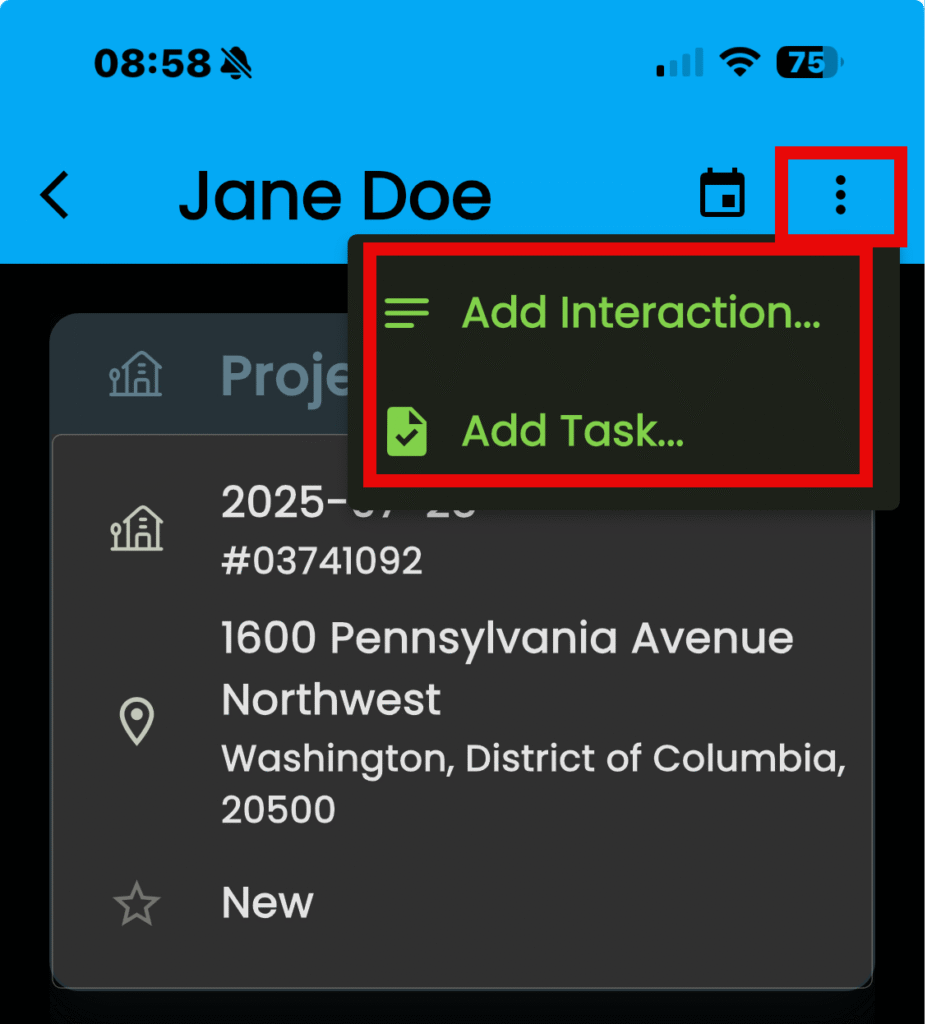
Access is by taping on the three stacked dots located in the main page for any “Contacts”, “Customers” or “Leads”.
- At the top are calendar and actions menus
- Tap the “Actions” menu (three stacked dots)
To add an interaction…
- Tap on “Add Interaction…” to set up an interaction
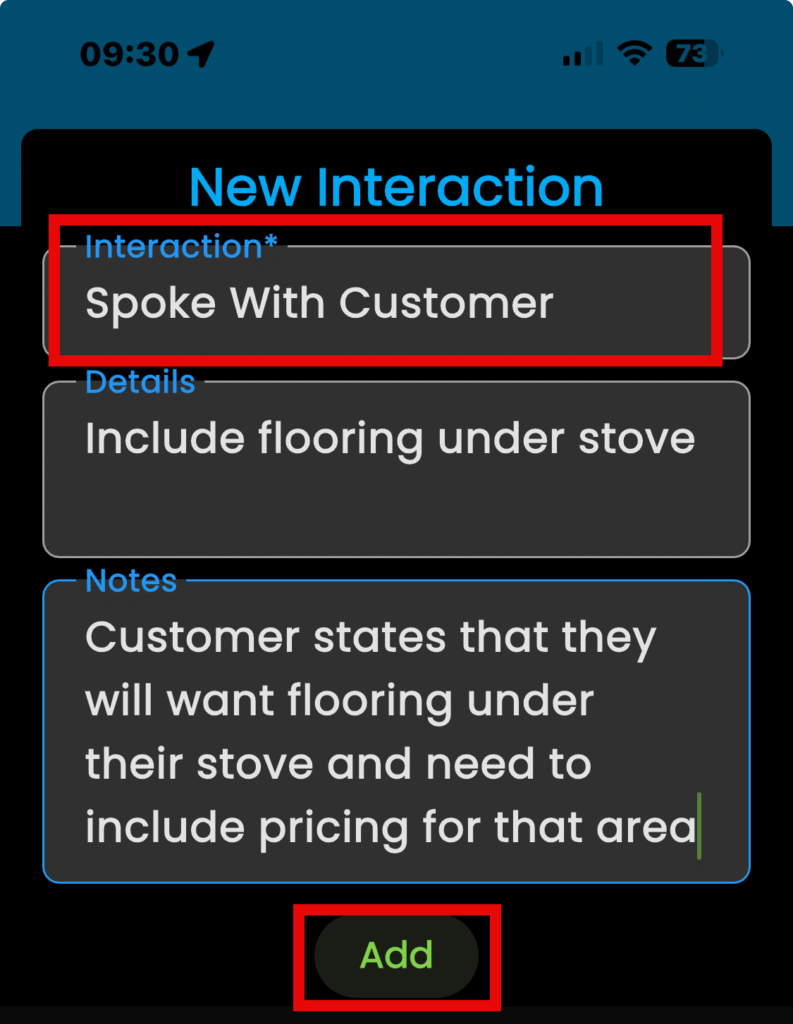
- Tap in the “Interaction” box and give the interaction a name
- KEEP IN MIND: Boxes denoted with an asterisk require information.
- Include any details or notes about the interaction
- Tap on “Add”
To add a task…
- Tap on “Add Task…” to add a task to your customer
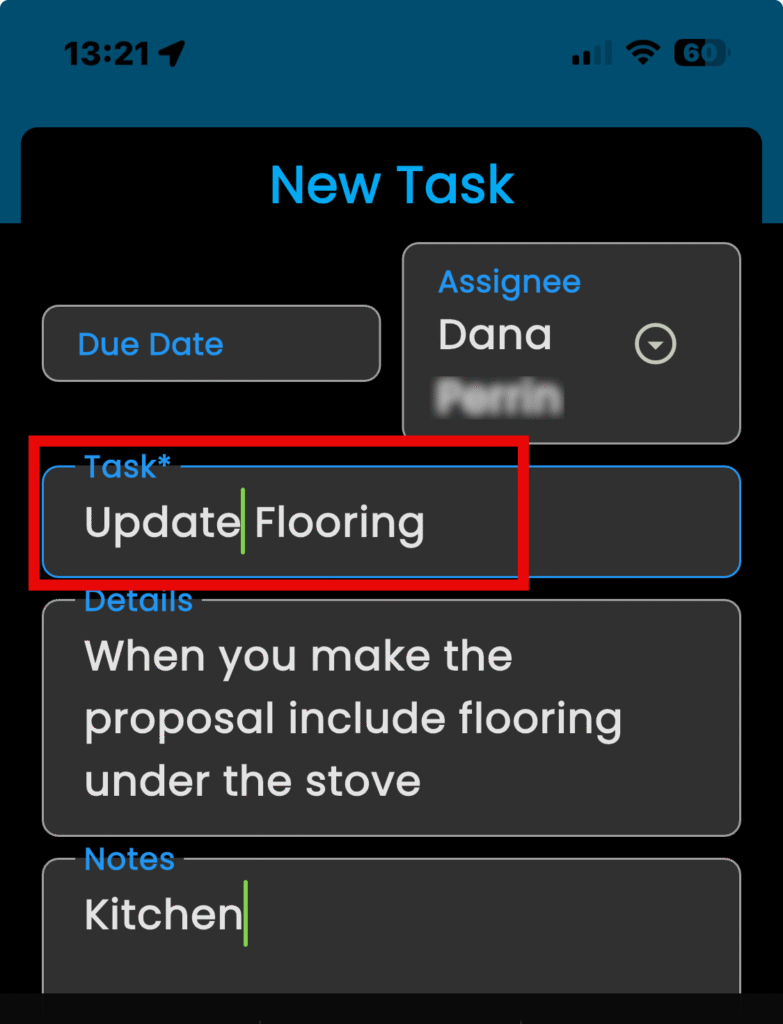
- Tap in the “Due Date” field to select a date for your task
- Tap on “Assignee” to choose from a list of users
- Tap on “Task” and give it a name
- KEEP IN MIND: Boxes denoted with an asterisk require information.
- Tap in the “Details” and “Notes” boxes to add to those fields
- Tap on “Add”