Did you know that you can set up to have new releases of the app update automatically? If not, then read on!
- Tap to open up Test Flight
- Tap on the OTG App icon
The app information page opens
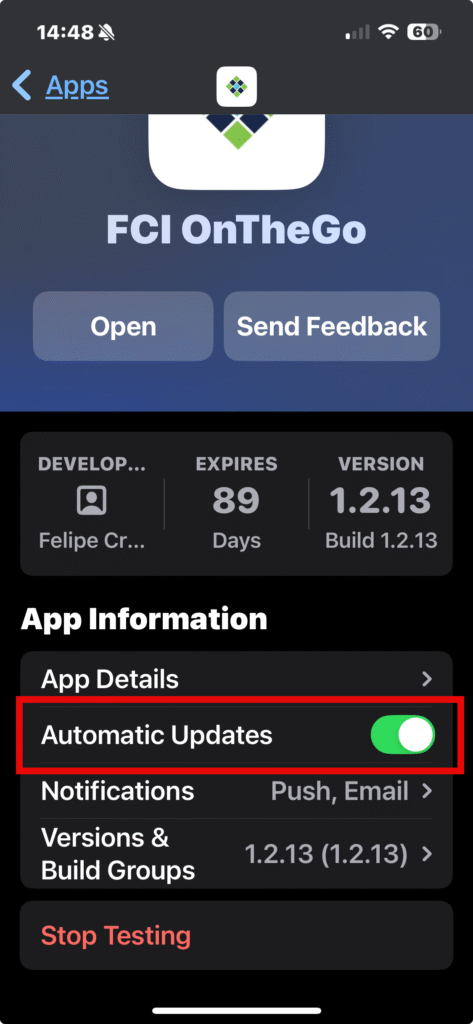
- Tap on the button next to “Automatic Updates”
Now whenever a new version of the app roles out, you will be ready!