You can add a lead quickly and easily by taping on the plus icon (+). This can be done from the main page, or from within your “Leads”.
- Tap on the “+” icon in the upper right corner
- Tap in the fields to enter lead information
- KEEP IN MIND: Boxes denoted with an asterisk require information
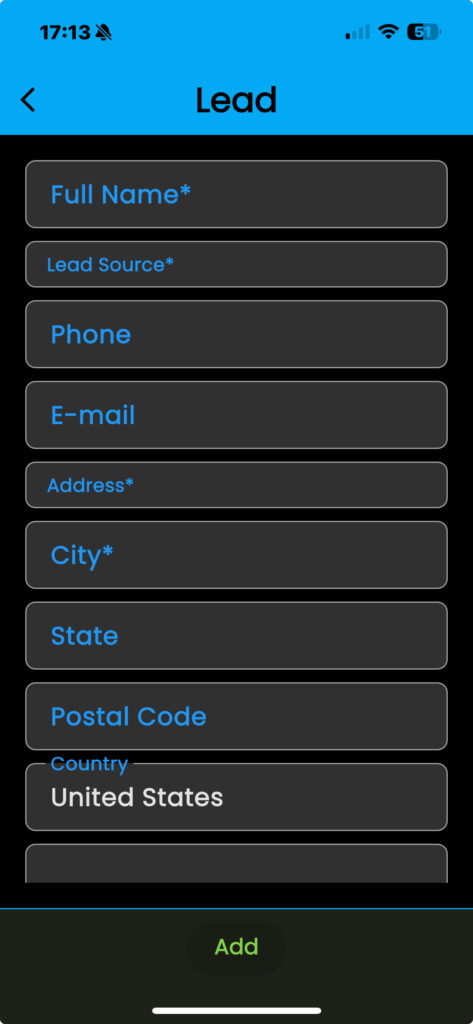
- Tap “Address” to search for an address
- KEEP IN MIND: Taping on the suggested address adds it to your lead information
- Tap in the boxes to complete filling in the fields
- Tap “Add” to finish