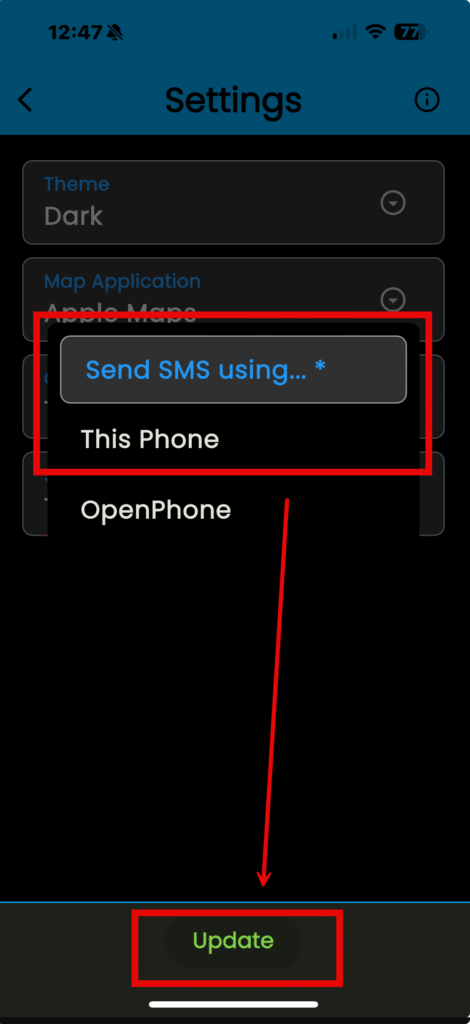
You can choose the color of the background / text, the default map program, and which service you use to call and send Short Message Service (SMS) text messages through.
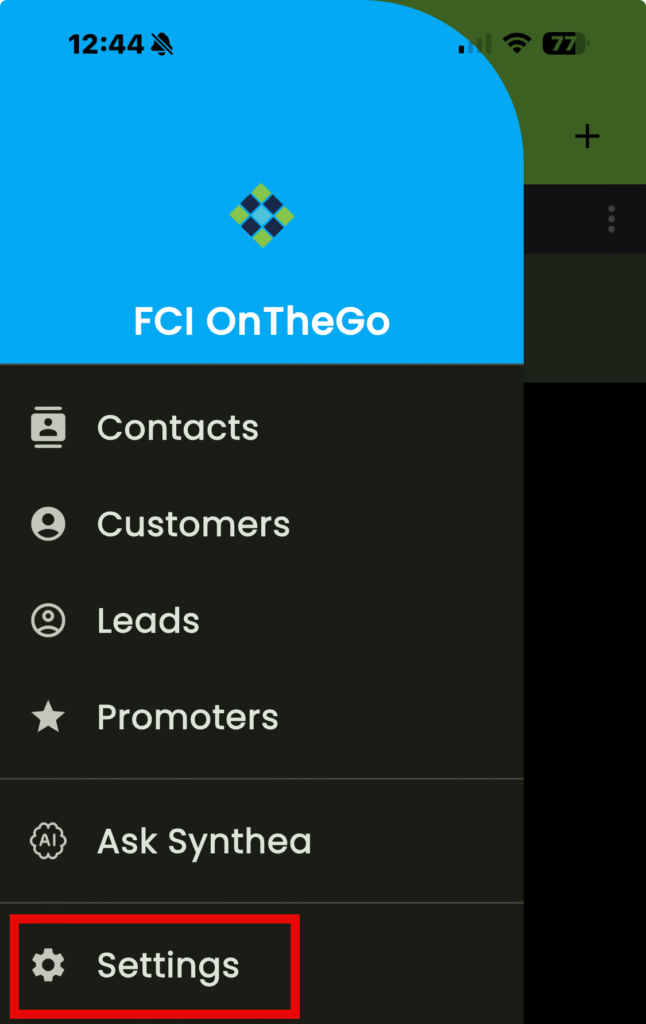
- Tap on the navigation menu in the top left
- Tap on “Settings”
Choosing the Background
- Tap on “Theme”
- Choose from the options listed
- Tap “Update” to apply the setting
For an explanation on the different themes available, click here.
Choosing a Default Map Program
- Tap on “Map Application”
- Choose from the options listed
- Tap “Update” to apply the setting
Choosing A Calling Service
- Tap on “Call Using”
- Choose from the options listed
- KEEP IN MIND: Tap on “This Phone” to use your phone’s service to make and receive calls
- Tap “Update” to apply the setting
Choosing an SMS Service
- Tap on “Send SMS using”
- Choose from the options listed
- KEEP IN MIND: Tap on “This Phone” to use your phone’s service to send / receive SMS text messages.
- Tap “Update” to apply the setting