You have an option to choose the color of the background and text. You may choose from: the same as your device settings (System), white background/dark text (light), or black background/white text (dark).
- Tap on the navigation menu in the top left-hand corner
- Tap on “Settings”
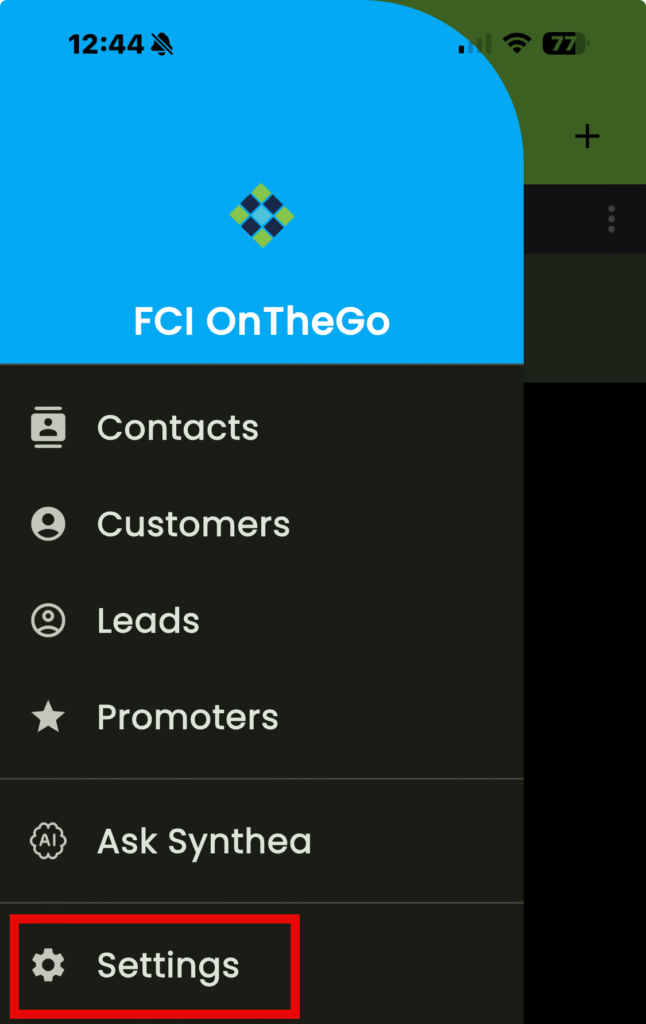
- Tap on “Theme”

The “Theme” dialogue box opens
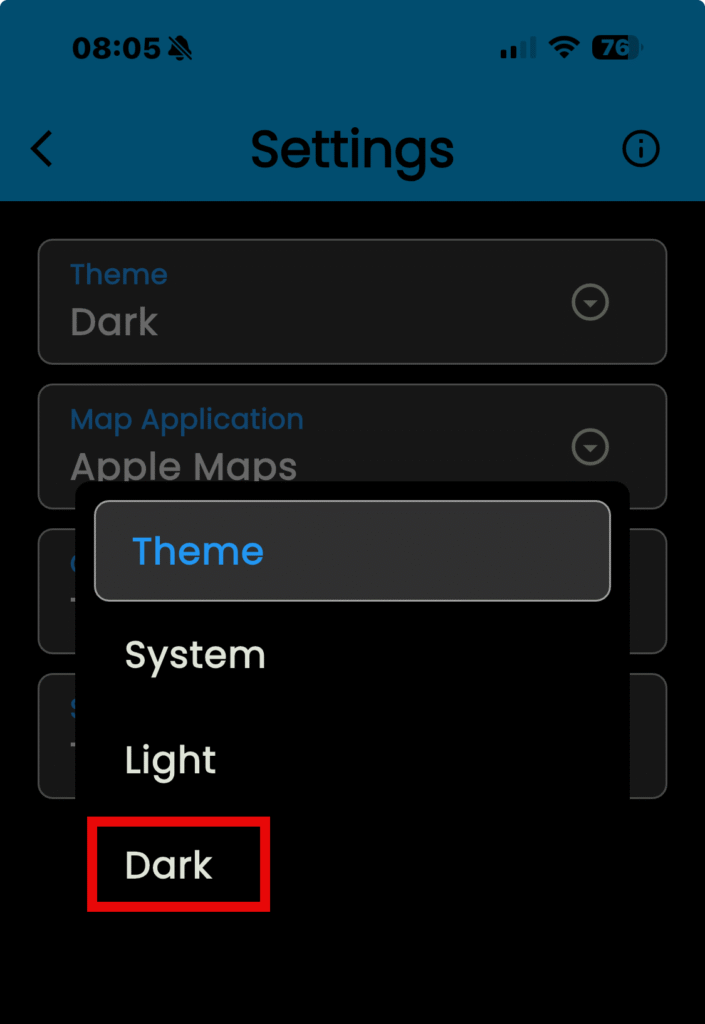
Select a theme…
“System” – Uses your device settings for the app.
- Allows the display to automatically switch between light and dark modes based on the device settings or ambient lighting.
“Light” – Uses a white background, regardless of your device settings.
- Preferred in well-lit environments for better readability and focus.
“Dark” – Uses a dark background, regardless of your device settings.
- Uses a dark background (e.g., dark gray or black) with light text (e.g., white or light gray). Designed to reduce eye strain and improve readability.
- Tap on a theme to select it
- Tap on “Update”